
Help · Guide
Get found by AI: your fix plan
Work through the fixes that get you recommended more: LinkedIn campaigns, your website, what AI says about you, and proof on other sites.
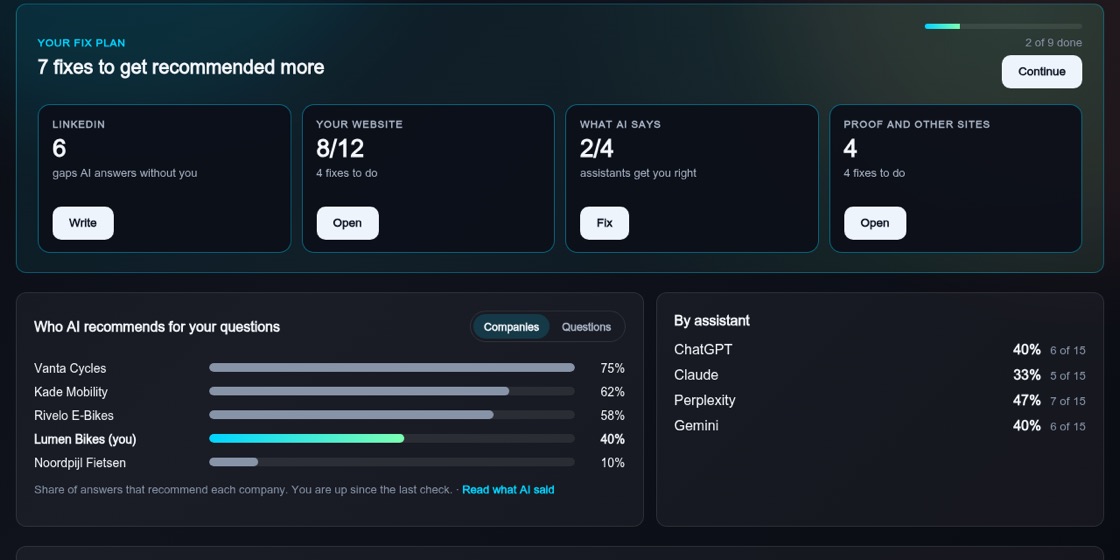
Four areas to fix
After a check, "Your fix plan" shows how many fixes are left and groups them into four tiles:
- LinkedIn: posts that answer the questions where you are missing.
- Your website: make sure AI can read your site and finds the pages it needs.
- What AI says: correct facts that AI assistants get wrong or do not know.
- Proof and other sites: customer stories and the other websites AI likes to cite.
The guided fix
Press "Start the guided fix". It first shows the problem in one line, for example which competitor AI picks and how often. Then it takes you through the most useful fixes one at a time, with the expected impact and time. For each fix you can do it now, choose "Later", or choose "Not for us" to remove it. Skipped fixes are kept under "Show skipped fixes" and you can bring them back.
Close gaps with LinkedIn campaigns
Choose "Write" on the LinkedIn tile. Pick up to three topics, each marked as a buyer question you are missing or a fact AI gets wrong, and adjust the angle if you like. Press "Write N campaigns". Each becomes a LinkedIn post with an image, which you review and approve on the Approve page like any other post. Posts created this way are labelled "Proposed by Get found by AI".
Fix how AI describes you
On the "What AI says" tile, see per assistant whether it describes you correctly, does not know you, or gets facts wrong, with what it said next to the correct fact. "Draft it" writes the right text for your website, an FAQ and your LinkedIn About section. "Write campaigns" repeats the facts on LinkedIn, and "Check again" tests whether the assistants have picked it up.
Proof and other sites
"Write my customer story" drafts a customer story that lands in Collateral for your review. For other websites AI cites, you get a short playbook and a draft you can use. BrandOps9 never posts on other websites for you.
See what worked
From the second check onward, the page shows what changed, and the Learning page explains which fixes made a difference.